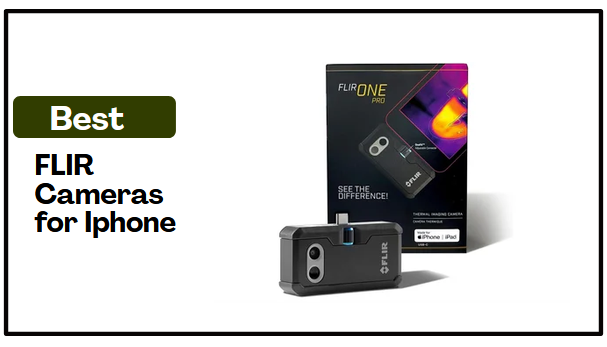
A warm wall, an overheating component, or a hidden air leak can reveal a problem that is difficult to spot with the naked eye. The best FLIR Cameras for Iphone turn your phone into a practical thermal imaging tool, helping you see temperature differences and examine areas where ordinary phone cameras cannot. But the cameras are not identical. They differ in thermal detail, temperature range, connection method, and how easily you can position them during an inspection.
That difference matters when you move beyond simply finding a hot or cold spot. Some options keep things simple with a direct connection, while others let you position the camera away from your iPhone when access gets awkward. Higher-resolution models can reveal more thermal detail, while wider temperature ranges offer more flexibility for demanding applications. The key is finding the camera that gives your iPhone the thermal capability that matches the work you need to do.
Best FLIR Cameras for Iphone: At a Glance
- Flir One Pro – Thermal Imaging Camera for iOS Smartphones — Best Overall
- Flir Edge – Wireless Bluetooth Thermal Imaging Camera for Smartphones — Best for Wireless Flexibility
- Flir Edge Pro Wireless Thermal Imaging Camera — Best for Thermal Detail and Wireless Positioning
- Flir One – Thermal Imaging Camera for iOS Smartphones — Best for Simple Troubleshooting
How We Tested the Best FLIR Cameras for Iphone
We evaluated the best FLIR Cameras for Iphone by looking beyond headline specifications and focusing on the differences that matter when using a thermal camera with an iPhone. Our comparison considered thermal detail, temperature range, connection method, inspection features, portability, durability, and the practical tradeoffs that can influence which camera makes the most sense for a particular task.
Thermal Imaging Performance
We compared native infrared resolution and image-enhancement technologies such as VividIR and MSX to understand how much thermal detail each camera can provide. Higher native resolution matters more for users who need to distinguish temperature differences in greater detail or inspect equipment and other components. By contrast, lower-resolution models suit straightforward household troubleshooting, where identifying a hot or cold area may matter more than seeing fine thermal detail.
Temperature Measurement and Range
Temperature range and stated measurement accuracy help determine where each camera is most useful. Models with wider temperature ranges offer more flexibility for equipment-related inspections, while cameras limited to 5°C to 120°C are better suited to common household, HVAC, and general troubleshooting tasks. We also considered the conditions attached to each stated accuracy rather than treating the accuracy figure as a universal guarantee.
Connection and Positioning
The connection method also played an important role in our comparison. Direct USB-C cameras keep setup simple and avoid Bluetooth pairing, while wireless models allow you to position the camera independently of the phone. That flexibility can be particularly useful around corners, inside confined spaces, or at awkward inspection angles. For the wireless models, we also considered reported connection delays, image lag, dropped connections, and reconnection issues because they can affect the practical benefit of a wireless design.
Inspection Features and App Support
We considered how the FLIR app adds to each camera’s usefulness rather than treating app features as extras for their own sake. Real-time temperature measurements, inspection guidance, and image or video capture all received attention according to how they support actual troubleshooting. Guides such as Home Inspect and Car Inspect were particularly relevant because they can help users investigate specific problems rather than simply view a thermal image.
Portability, Power, and Durability
We compared weight, battery type and operating time, phone-case compatibility, handheld or mounting options, and drop ratings to assess how convenient each camera would be during practical use. These factors matter when you carry a camera between inspection points or use it alongside a phone for an extended troubleshooting task. Durability features form part of overall practicality rather than serving as a substitute for imaging performance.
Use Case and Overall Value
Last but not least, we considered what each camera does best and where its limitations become important. The FLIR One stands out as a straightforward choice for basic household troubleshooting, while the FLIR One Pro offers higher native thermal detail and a wider temperature range. Meanwhile, the FLIR Edge prioritizes wireless positioning, whereas the FLIR Edge Pro combines that flexibility with higher native resolution.
This approach allowed us to compare the cameras according to different buyer priorities rather than simply ranking them by the number of features or the highest specification. The best choice depends on whether the priority is simple troubleshooting, greater thermal detail, wireless positioning, or a combination of those capabilities.
Best FLIR Cameras for Iphone
1) Flir One Pro – Thermal Imaging Camera for iOS Smartphones
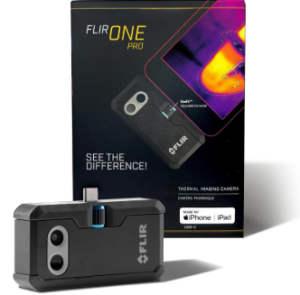
The FLIR One Pro is the more inspection-focused option for iPhone users who want higher thermal detail than a basic smartphone thermal camera provides. Its 160 × 120 native infrared sensor, VividIR image enhancement, and MSX visual overlay produce a more detailed thermal view, making it better suited to investigating temperature differences rather than simply spotting them.
That capability makes the One Pro useful for home inspections, HVAC troubleshooting, automotive checks, and equipment or machinery inspections. The FLIR app also provides inspection guides for situations such as air leaks and moisture buildup, while real-time temperature readings help you examine specific areas of interest.
Its 5°C to 400°C temperature range gives it considerably more headroom for equipment-related checks than models limited to lower-temperature applications. The stated accuracy is ±3°C or ±5% when the camera is used between 15°C and 35°C and the measured scene is between 5°C and 120°C, so those conditions matter when temperature measurement is important.
The direct USB-C connection keeps the setup compact and straightforward. The OneFit connector can accommodate most protective cases, while the 36 g camera adds very little weight and carries a 1.5 m drop rating. The direct connection does, however, occupy the iPhone’s charging port during use.
For iPhone 15 and newer users who want a compact thermal camera with higher native resolution and a wider temperature range, the FLIR One Pro is a strong fit for inspection-oriented work. It makes more sense when thermal detail and measurement capability matter than when you simply want an inexpensive way to identify basic household hot and cold spots.
Specifications
- Native IR resolution: 160 × 120
- VividIR resolution: Up to 480 × 360
- Temperature range: 5°C to 400°C
- Temperature accuracy: ±3°C or ±5% under specified conditions
- Thermal sensitivity: 70 mK
- Connection: USB-C
- Compatibility: iPhone 15 and newer
- Weight: 36 g
- Drop rating: 1.5 m
Pros
- 160 × 120 native IR resolution
- Wide temperature range
- VividIR and MSX image enhancement
- Inspection guides in the FLIR app
- Compact and lightweight
- 1.5 m drop-rated construction
Cons
- Direct connection occupies the iPhone’s charging port
2) Flir Edge – Wireless Bluetooth Thermal Imaging Camera for Smartphones
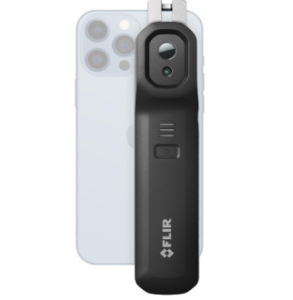
The FLIR Edge takes a different approach from the direct-connected FLIR One Pro by using Bluetooth to keep the camera separate from the phone. That makes it particularly useful for inspecting around corners, inside confined spaces, or from awkward angles where keeping the phone and camera together would be inconvenient. It works with iOS and Android devices, including iPhones, without occupying the phone’s charging port.
Its 80 × 60 native infrared sensor is enhanced by VividIR processing up to 240 × 180, while MSX adds visual detail to the thermal image. The 5°C to 120°C temperature range is suited to common home inspection and troubleshooting tasks, and the FLIR app provides real-time temperature measurements plus Home Inspect and Car Inspect guides for supported situations. Images and video can also be saved through the app.
The Edge is designed for practical field use, with a 2 m drop rating, water-resistant construction, and a rechargeable battery that provides roughly two hours of operation. At about 5.3 oz, it is also light enough to carry easily during an inspection.
The main consideration is its wireless connection. Some feedback has pointed to connection delays, image lag, dropped connections, or the need to reconnect, which can reduce the convenience of a wireless setup when you need a responsive live view. Its 80 × 60 native resolution also falls below the One Pro’s 160 × 120, so the Edge makes more sense when positioning flexibility matters more than maximum thermal detail.
For iPhone owners who want a thermal camera for home inspection, DIY troubleshooting, or hard-to-reach areas, the FLIR Edge is appealing primarily because it can be positioned independently of the phone. It gives up some native thermal resolution compared with the One Pro, but its wireless design can be the more useful advantage when physical access is the bigger challenge.
Specifications
- Native IR resolution: 80 × 60
- VividIR resolution: Up to 240 × 180
- Temperature range: 5°C to 120°C
- Temperature accuracy: ±3°C or ±5% under specified conditions
- Connection: Bluetooth
- Compatibility: iOS and Android
- Battery: Rechargeable lithium-ion
- Battery life: Approximately 2 hours
Pros
- Wireless Bluetooth connection
- Independent camera positioning
- VividIR and MSX image enhancement
- Home and car inspection guides
- 2 m drop-rated, water-resistant construction
Cons
- 80 × 60 native IR resolution
3) Flir Edge Pro Wireless Thermal Imaging Camera
FLIR Edge Pro is the step up from the standard Edge for iPhone users who want wireless positioning with a higher native resolution. Its 160 × 120 infrared sensor provides more thermal detail, while Bluetooth lets you position the camera independently of the phone. That combination is useful when an inspection requires detailed imaging but the area being checked is difficult to reach directly.
VividIR processes the image up to 480 × 360, while MSX adds visual information to the thermal view. That extra thermal detail can be useful when inspecting equipment, building components, motors, bearings, and other areas where distinguishing temperature differences matters.
The Edge Pro covers temperatures from 5°C to 120°C and provides real-time temperature measurements. The FLIR app also includes Home Inspect and Car Inspect guides for supported inspection tasks. These capabilities make it suitable for home inspections, equipment maintenance, motor checks, and similar troubleshooting work.
At about 5.3 oz, the camera remains portable for mobile inspections. It can be handheld or mounted, while its 2 m drop rating provides some protection during regular use. The rechargeable lithium-ion battery provides approximately two to two and a half hours of operation.
Wireless connectivity remains the main consideration. Some user feedback has reported connection delays, image lag, dropped connections, and difficulty maintaining a connection. For users who can accept that tradeoff, the Edge Pro offers more thermal detail than the standard Edge without giving up the positioning freedom that defines the Edge range.
For iPhone users who need both detailed thermal imaging and the freedom to position the camera separately from the phone, the FLIR Edge Pro is a strong fit. It gives up some temperature-range capability compared with the One Pro, but offers more thermal detail than the standard Edge while retaining the positioning flexibility of the Edge design.
Specifications
- Native IR resolution: 160 × 120
- VividIR resolution: Up to 480 × 360
- Temperature range: 5°C to 120°C
- Temperature accuracy: ±3°C or ±5% under specified conditions
- Connection: Bluetooth
- Compatibility: iOS and Android
- Thermal sensitivity: 150 mK
- Battery: Rechargeable lithium-ion
- Battery life: Approximately 2 to 2.5 hours
- Drop rating: 2 m
Pros
- 160 × 120 native thermal resolution
- Wireless camera positioning
- VividIR and MSX image enhancement
- Handheld or mounted use
- Home and car inspection guides
- 2 m drop-rated construction
Cons
- Limited to 5°C to 120°C
- Potential wireless connection issues
4) Flir One – Thermal Imaging Camera for iOS Smartphones
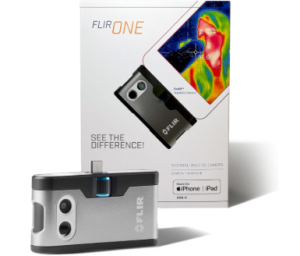
The FLIR One is a straightforward thermal imaging camera for iPhone 15 and newer models with USB-C charging ports. It connects directly to the phone, so there is no Bluetooth pairing or separate wireless connection to manage. Its OneFit connector extends to accommodate most protective cases, keeping setup simple when you want to check a specific area through the FLIR app.
Its 80 × 60 native infrared sensor provides the underlying thermal image, while VividIR processes it up to 240 × 180. MSX adds visual details to the thermal view, helping you identify where a temperature difference occurs within the surrounding area. This is sufficient for common hot and cold spots, particularly when the goal is straightforward household troubleshooting rather than detailed inspection work.
The FLIR One is well suited to heat-loss checks, insulation problems, air leaks, and basic HVAC troubleshooting. Its FLIR app also provides guidance for tasks such as air leaks, moisture buildup, and home inspections, making it more useful for practical troubleshooting than simply viewing a thermal image.
Temperature measurements add another layer of usefulness when you need to determine how hot or cold a particular area is. The camera covers 5°C to 120°C and provides accuracy of ±3°C or ±5% under the specified conditions. That range works for many household and general troubleshooting tasks, but it is not intended for substantially higher temperatures.
At about 36 g, the FLIR One adds little weight to the phone, while its 1.5 m drop rating provides some protection during everyday use. The non-rechargeable AA battery also keeps the camera independent of the phone’s own battery.
For iPhone 15 or newer users who want a simple way to investigate household heat loss, air leaks, insulation, HVAC issues, or basic equipment hot spots, the FLIR One is a practical choice for occasional troubleshooting. It makes the most sense when ease of use matters more than higher thermal detail or a wider temperature range.
Specifications
- Native IR resolution: 80 × 60
- VividIR resolution: Up to 240 × 180
- Temperature range: 5°C to 120°C
- Temperature accuracy: ±3°C or ±5% under specified conditions
- Connection: USB-C
- Compatibility: iPhone 15 and newer
- Lens: 30 mm fixed focus
- Battery: 1 AA battery
- Weight: 36 g
- Drop rating: 1.5 m
Pros
- Direct USB-C connection
- Simple setup
- VividIR and MSX image enhancement
- Home inspection guidance
- Compact and lightweight
- Adjustable OneFit connector
Cons
- Limited to 5°C to 120°C
Advantages of Using FLIR Cameras for Iphone
Easier Detection of Heat Differences
The best FLIR Cameras for Iphone make temperature differences visible through an iPhone, helping you identify hot and cold areas that may not be obvious to the naked eye. This can be useful when checking for heat loss, insulation problems, air leaks, HVAC issues, moisture buildup, or equipment hot spots. Instead of relying only on visible signs, you can use the thermal image to see where a temperature difference occurs.
More Useful Information Than a Basic Thermal Image
These cameras provide more context than simply showing areas that appear warmer or cooler. Technologies such as VividIR and MSX can enhance the thermal view by improving image detail and adding visual information from the surrounding scene. Real-time temperature measurements can also help you investigate a specific area rather than simply noticing that one part of a surface looks different from another.
Better Access to Difficult Inspection Areas
Wireless thermal cameras offer an important advantage when you need to reach a location that is awkward to view while holding the phone and camera together. Independent camera positioning can help when inspecting around corners, inside confined spaces, or from difficult angles. Some models can also be handheld or mounted, giving you more freedom to place the thermal sensor where the useful view is located.
Support for Different Inspection Tasks
These cameras can support a range of practical uses, from basic household troubleshooting to more detailed equipment inspections. Depending on the camera, you can use thermal imaging for heat-loss checks, insulation problems, air leaks, HVAC troubleshooting, home inspections, automotive checks, motor diagnostics, bearing inspections, and equipment maintenance. This range allows you to choose a camera according to the problems you expect to investigate rather than treating every thermal camera as interchangeable.
Greater Thermal Detail When You Need It
Some models provide higher native infrared resolution, giving you more thermal detail when you need to distinguish temperature differences across equipment, building components, or other areas where a basic thermal image may not provide enough information. This can be particularly useful for more demanding inspection work, where seeing finer thermal differences helps you investigate a problem more closely.
Flexibility Across Different Temperature Ranges
Different cameras cover different temperature ranges, so you can choose one that matches the work you plan to do. Models covering 5°C to 120°C suit many household and general troubleshooting applications, while some cameras extend from 5°C to 400°C for situations that require substantially more temperature headroom. Matching the temperature range to your intended use helps you avoid choosing a camera that is too limited for the temperatures you expect to encounter.
Factors to Consider When Choosing the Best FLIR Cameras for Iphone
Native Thermal Resolution
Native infrared resolution affects how much thermal detail the camera can capture. Higher resolution can make it easier to distinguish smaller temperature differences across equipment, walls, or other surfaces. Lower resolution may still work well for basic tasks, such as finding obvious hot or cold areas. Choose the resolution based on how closely you need to investigate a problem.
Temperature Range
Consider the temperatures you expect to measure before choosing a thermal camera. A range of 5°C to 120°C can cover many household, HVAC, and general troubleshooting tasks. A wider range can be more useful for equipment or other applications involving substantially higher temperatures. There is little benefit in paying for extra temperature range if your intended tasks never approach those limits.
Connection Method
The connection method affects how you use the camera with your iPhone. A direct USB-C connection keeps setup simple and avoids wireless pairing. A Bluetooth connection lets you position the camera separately from the phone. That can be helpful around corners, inside confined spaces, or at awkward inspection angles. Think about whether simplicity or positioning flexibility matters more for your typical inspections.
Image Enhancement and Visual Detail
Look at how the camera processes and presents its thermal image. Features such as VividIR can enhance thermal detail, while MSX adds visual information from the surrounding scene. These technologies can make it easier to understand where a temperature difference occurs. They are especially useful when the thermal image alone does not clearly show what you are looking at.
Measurement Accuracy and Real-Time Readings
If you plan to use thermal imaging for troubleshooting, consider more than the ability to display heat differences. Real-time temperature readings can help you investigate a specific area and compare temperatures. Pay attention to the stated accuracy and the conditions attached to it. Accuracy figures do not apply equally to every temperature or operating condition.
Battery and Physical Design
Consider how the camera’s power and physical design will affect everyday use. Rechargeable batteries can simplify repeated use, while replaceable batteries can keep the camera running when you have spares available. Weight also matters when you carry the camera during an inspection. Features such as drop protection, water resistance, case compatibility, and mounting options can add practical value in the field.
Intended Use
Your intended application should guide the final choice. Basic household checks may not require the same thermal detail as equipment maintenance or detailed inspections. Consider whether you mainly need to find heat loss, identify air leaks, troubleshoot HVAC problems, inspect vehicles, or investigate equipment. Matching the camera to the work you actually plan to do can prevent you from paying for capabilities you will rarely use.
Best FLIR Cameras for Iphone FAQs
What can you use a FLIR camera with an iPhone for?
A FLIR camera can help you identify heat differences that are difficult to see with the naked eye. Common uses include finding heat loss, insulation problems, air leaks, HVAC issues, moisture buildup, and equipment hot spots. Depending on the camera, you can also use thermal imaging for automotive checks, motor diagnostics, bearing inspections, and other troubleshooting tasks.
Are FLIR cameras for iPhone accurate?
FLIR cameras can provide useful temperature measurements, but stated accuracy depends on the camera and the conditions in which you use it. Some models specify accuracy of ±3°C or ±5% within particular temperature ranges and operating conditions. Treat the stated accuracy as a guide for those conditions rather than assuming the same precision applies to every measurement.
Should I choose a wired or wireless FLIR camera for iPhone?
The better choice depends on how you plan to use the camera. A direct USB-C model keeps setup simple and avoids wireless connection issues. A wireless model gives you more freedom to position the camera independently of the iPhone. That can be valuable when inspecting around corners, inside confined spaces, or from awkward angles.
Conclusion
In the end, your preferences and intended use determine which FLIR camera best fits your iPhone. The right choice is not necessarily the model with the most features, but the one whose capabilities match the problems you expect to investigate.
Direct-connected models keep thermal troubleshooting simple, while wireless designs make difficult inspection angles easier to reach. Higher native resolution becomes more valuable when smaller temperature differences matter, while a wider temperature range gives you more room for higher-heat applications.
The real choice, then, comes down to how you want to investigate heat: with a simple setup, greater access, more thermal detail, or more measurement headroom. Match those priorities to your intended use, and you can choose a camera that adds genuinely useful thermal capability to your iPhone.
Explore: